
An image comparison platform
An open-source tool with workspaces for precise image comparison — side by side or in a grid, plus recording and export in one place. For designers, photographers, upscaling fans, and researchers.

What is Improve-ImgSLI?
Detailed image comparison is often tedious: open an editor, align the frames by hand, export, repeat. Improve-ImgSLI was made to turn that routine into a fast, clear task. It is an open-source program for people who care about accuracy in the details: designers, photographers, upscaling fans, and researchers.
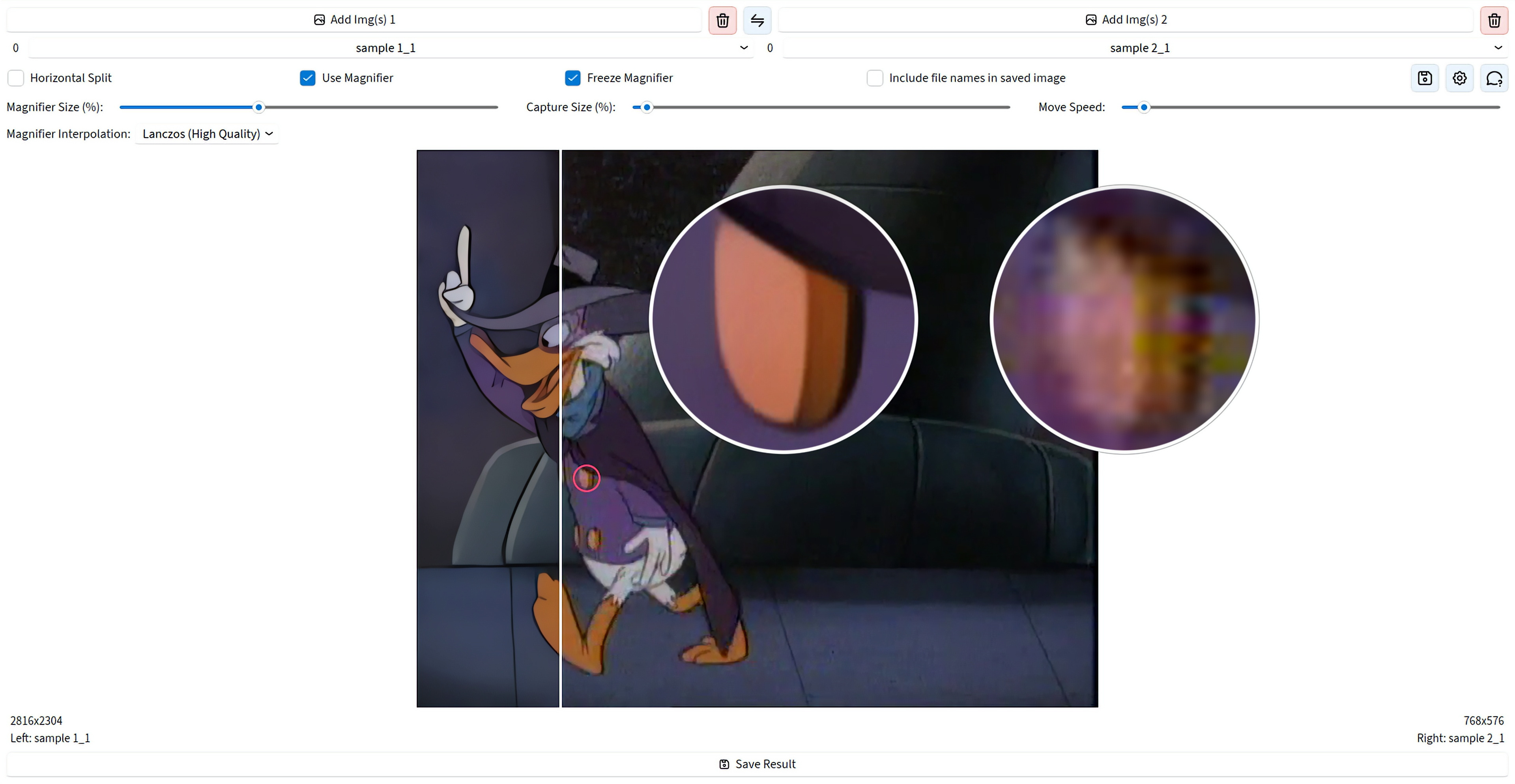
In version 10 you choose a workspace and compare two frames side by side, or several at once in a grid. Zoom the canvas, inspect details with magnifiers, switch on difference modes, save the finished frame, or record the session as video. Large files stay comfortable to work with, and you can open projects again later — a professional result in a few clicks, without a long setup.
See It in Action
Powerful Features
Two Ways to Compare
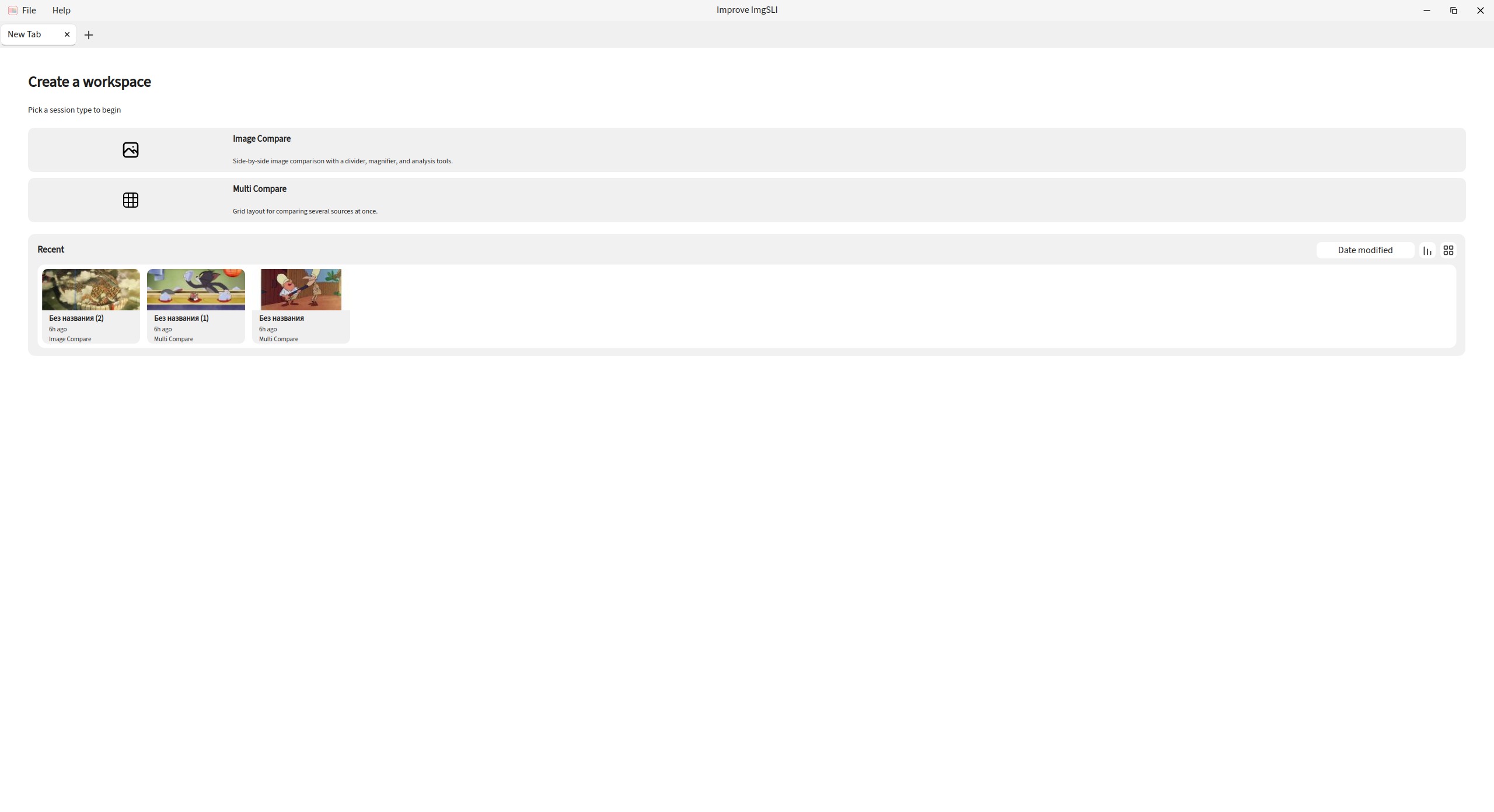
Start with a workspace: compare two images side by side with a split line, or place several sources in a grid. Keep more than one tab open and switch between sessions as you work.
Magnifier for Real Detail Checks
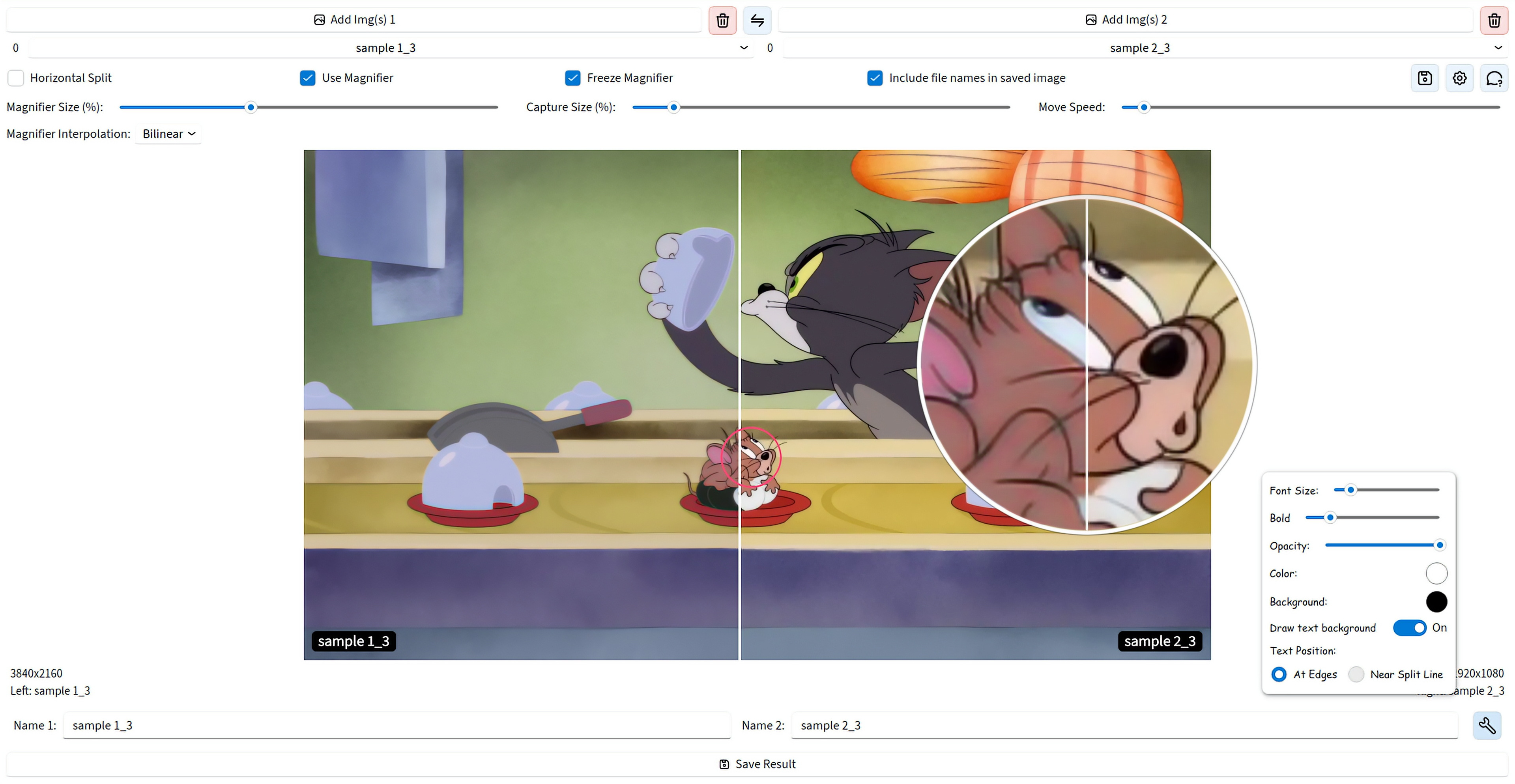
Look at the same spot on both images without jitter, with precise positioning. Add more than one magnifier, use dual or combined view, freeze the capture point, and pick how the zoom is interpolated.
Analysis, Not Just a Slider
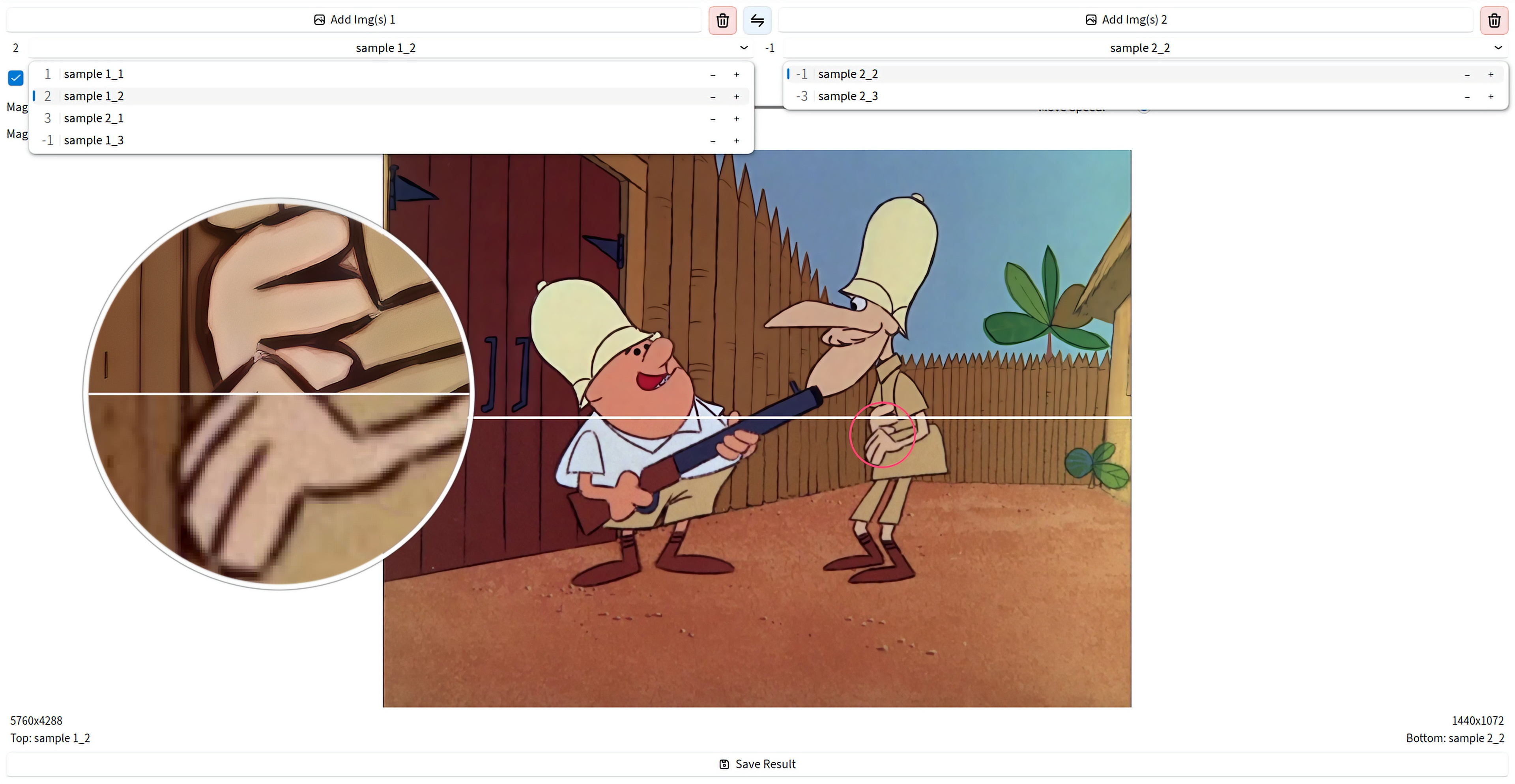
The classic split is still here — vertical or horizontal, with synced zoom and pan. On top of that you get difference maps, PSNR and SSIM metrics, edge detection, and channel views for a clearer judgment.
Video From the Comparison Process
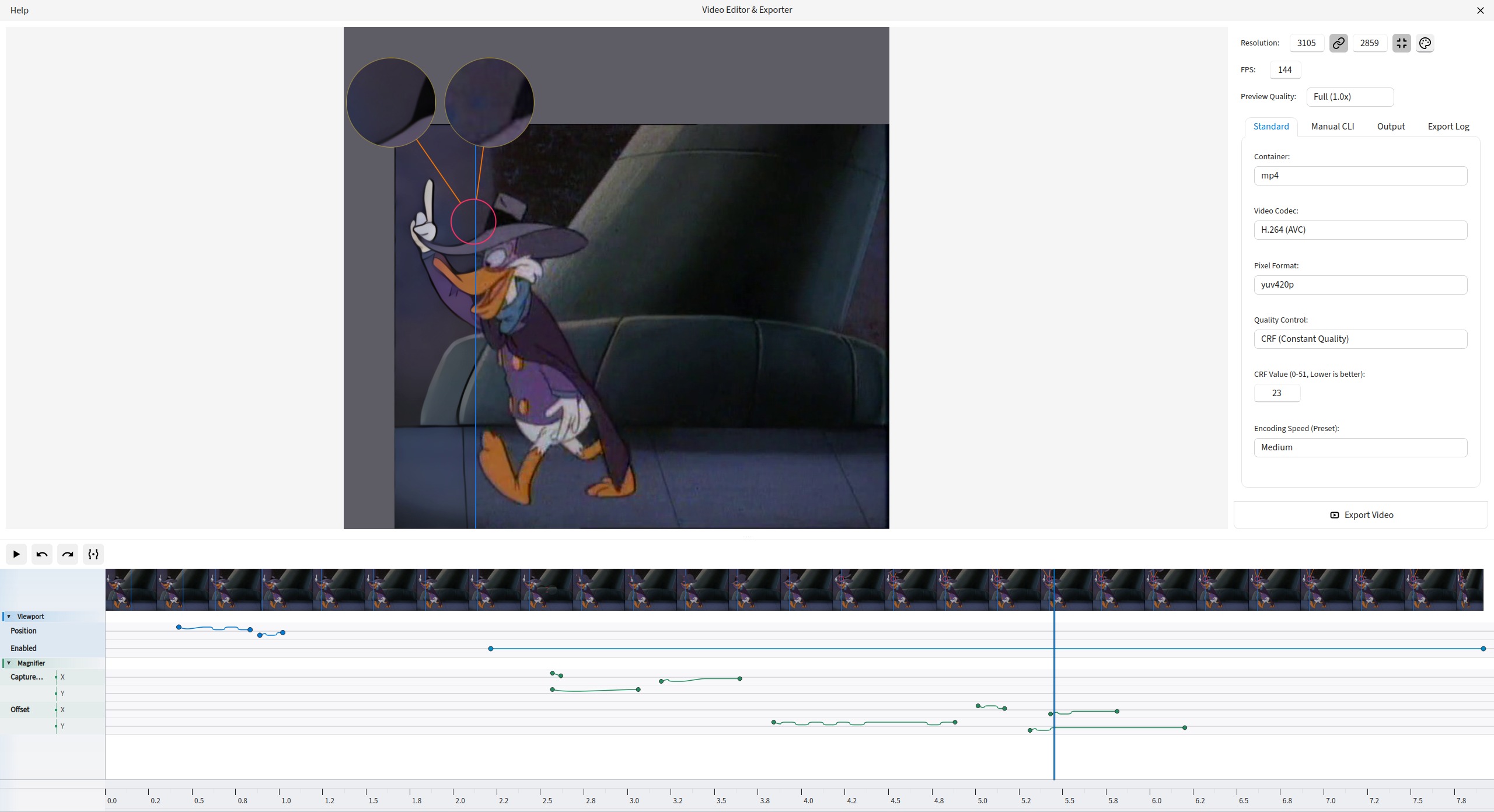
Record a comparison session, open it in the editor, trim or remove ranges on the timeline, animate states with keyframes, and export to MP4, WebM, AVI, GIF, ProRes, AV1, and more.
Export the Result You Built
Save exactly what you assembled on screen — split line, magnifiers, labels, and overlays. Export to PNG, JPEG, WEBP, BMP, TIFF, and JXL.
Files and Projects Without Friction
Load by drag and drop or from the clipboard, manage left and right lists, reorder, swap pairs or whole lists, rate images, and switch with the mouse wheel. Save a project and reopen it later from recent items.
Smooth Even on Large Files
The canvas stays responsive on multi-megapixel images. Magnifier and export always use the original file quality.
UI That Adapts to You
Choose Beginner, Advanced, or Expert mode from the first launch, then adjust light, dark, or auto theme, interface fonts, and saved layout. Search commands from the keyboard when you need a control fast.
Get Started
Windows
Direct download for the latest installer. Simple and straightforward.
Linux (Flatpak)
Universal Linux package via Flathub for easy installation across distros.
flatpak install io.github.Loganavter.Improve-ImgSLI
Arch Linux (AUR)
Community-maintained package for Arch Linux users.
yay -S improve-imgsli
Python (Source)
Run directly from source with our powerful launcher script.
git clone https://github.com/Loganavter/Improve-ImgSLI.git
cd Improve-ImgSLI
./launcher.sh run