

What is Improve-ImgSLI?
细致的图像对比往往很费事:打开编辑器、手动对齐画面、导出、再重复。Improve-ImgSLI 就是为了把这套例行操作变成又快又清楚的事。这是一款开源程序,面向在意细节准确性的人:设计师、摄影师、放大修复爱好者和研究者。
在第十版中,你先选择工作区,然后并排对比两个画面,或在网格里一次对比多张。缩放画布,用放大镜查看细节,打开差异模式,保存做好的画面,或把这次操作录成视频。大文件用起来仍然顺手,项目也可以稍后再打开——几次点击就能得到专业结果,不必花很长时间准备。
See It in Action
Powerful Features
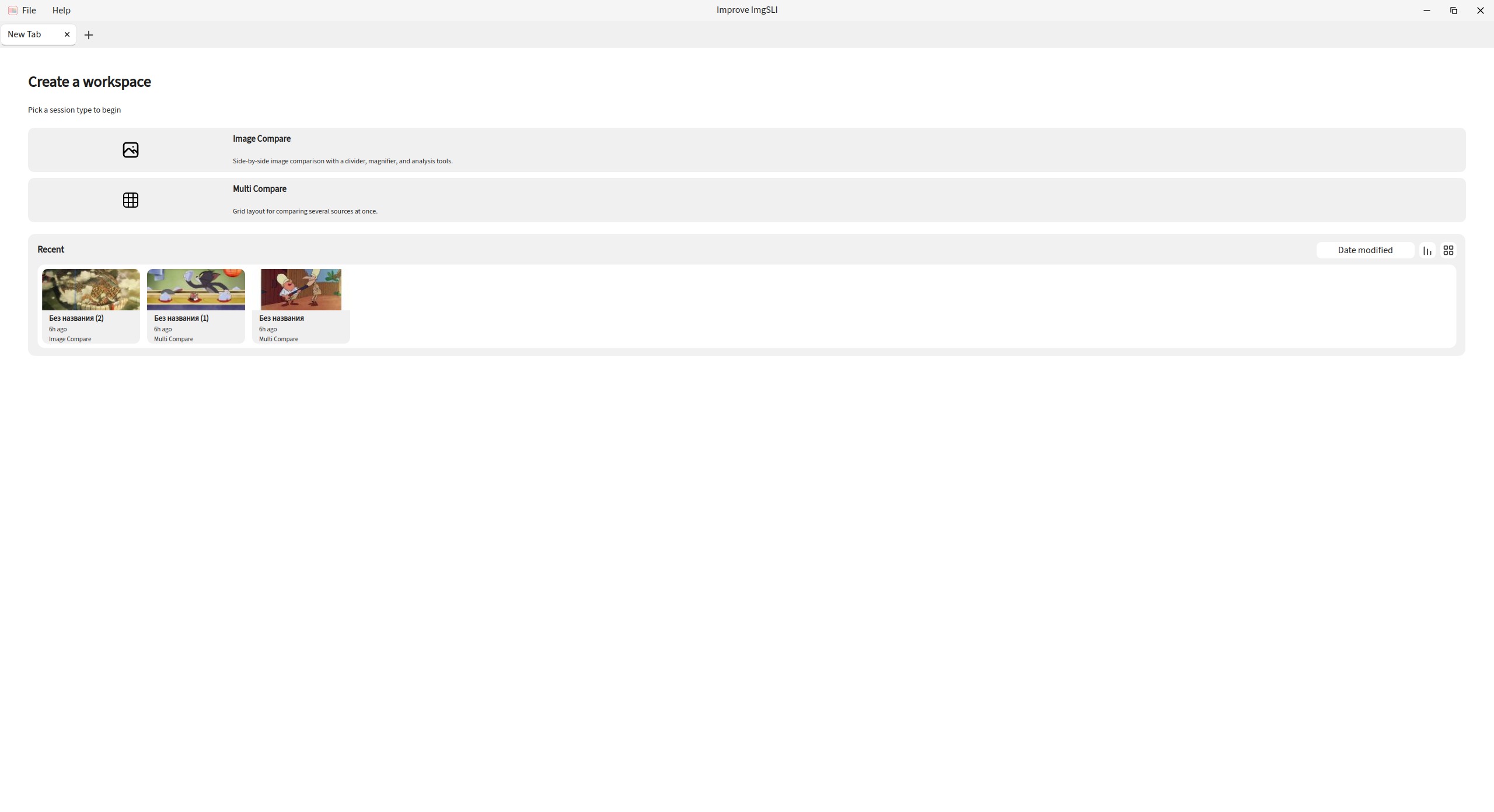
Two Ways to Compare
Start with a workspace: compare two images side by side with a split line, or place several sources in a grid. Keep more than one tab open and switch between sessions as you work.
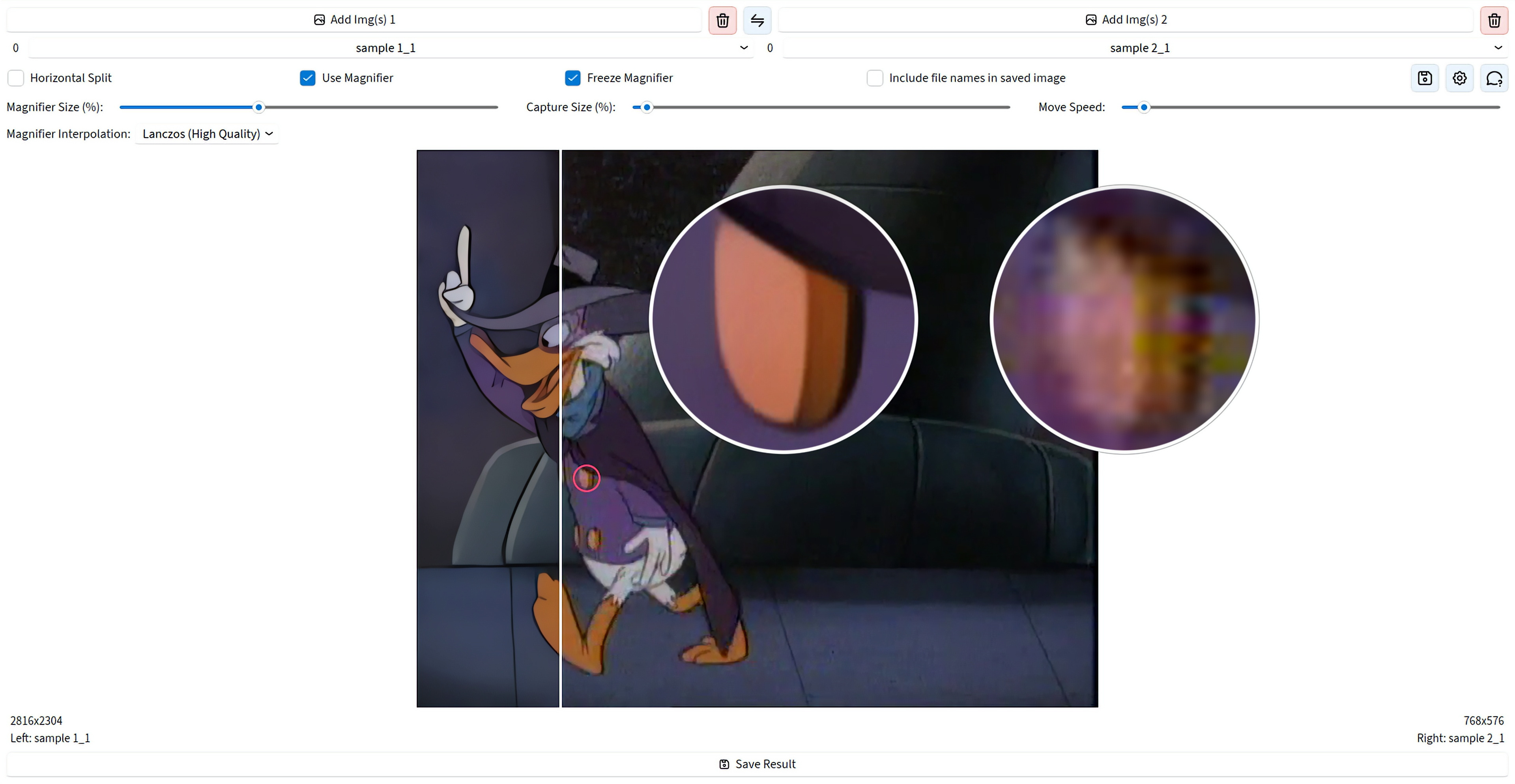
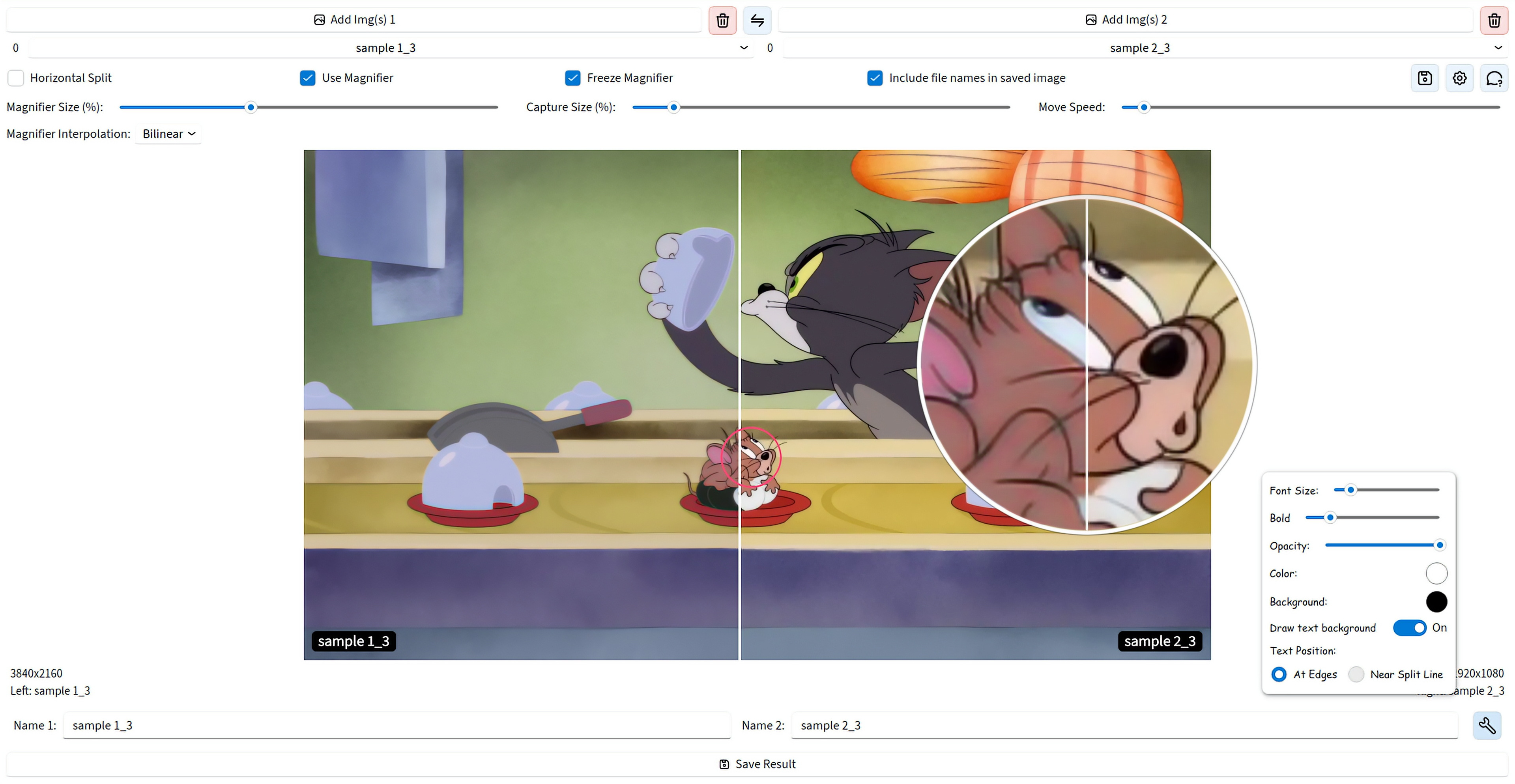
Magnifier for Real Detail Checks
Look at the same spot on both images without jitter, with precise positioning. Add more than one magnifier, use dual or combined view, freeze the capture point, and pick how the zoom is interpolated.
Analysis, Not Just a Slider
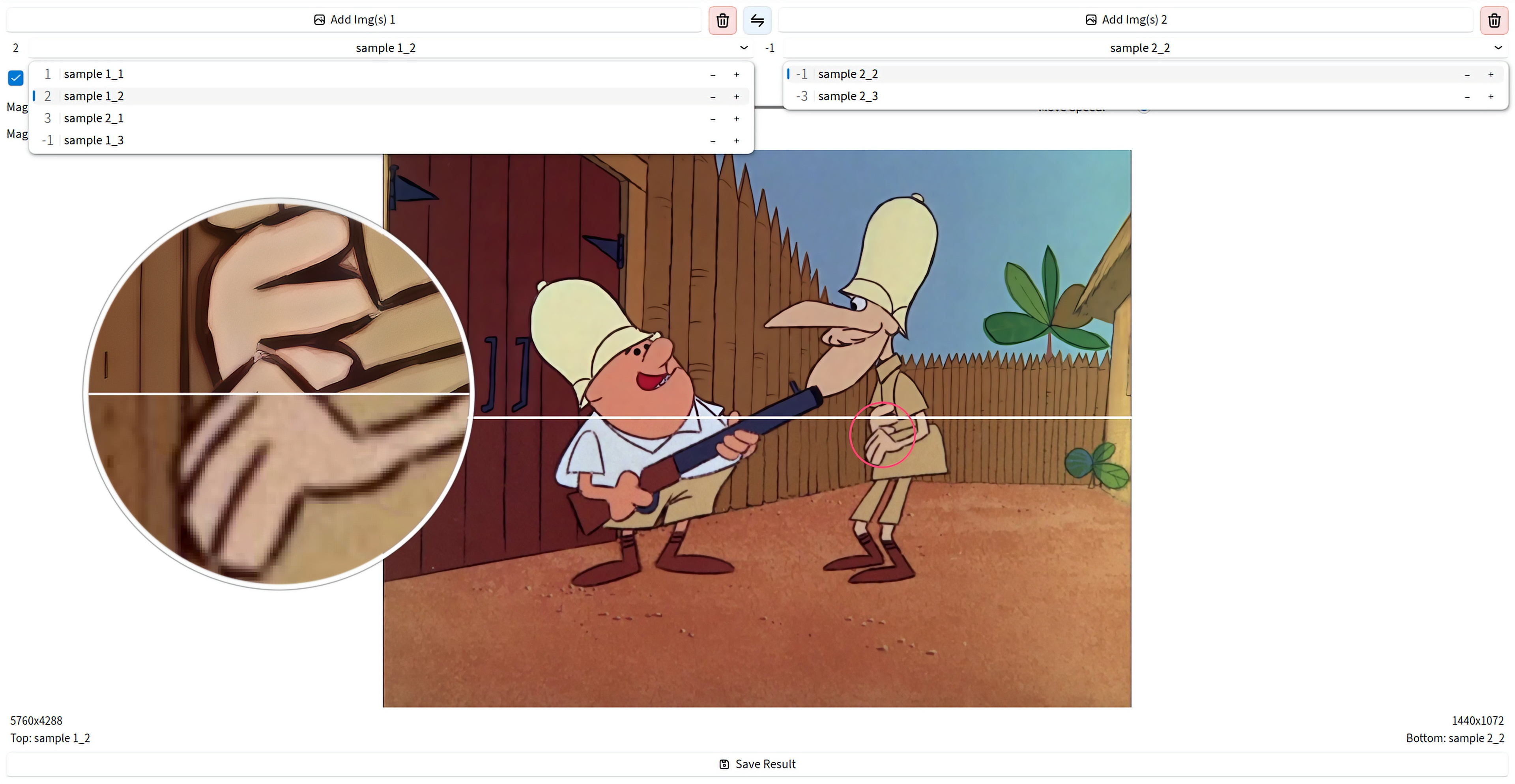
The classic split is still here — vertical or horizontal, with synced zoom and pan. On top of that you get difference maps, PSNR and SSIM metrics, edge detection, and channel views for a clearer judgment.
Video From the Comparison Process
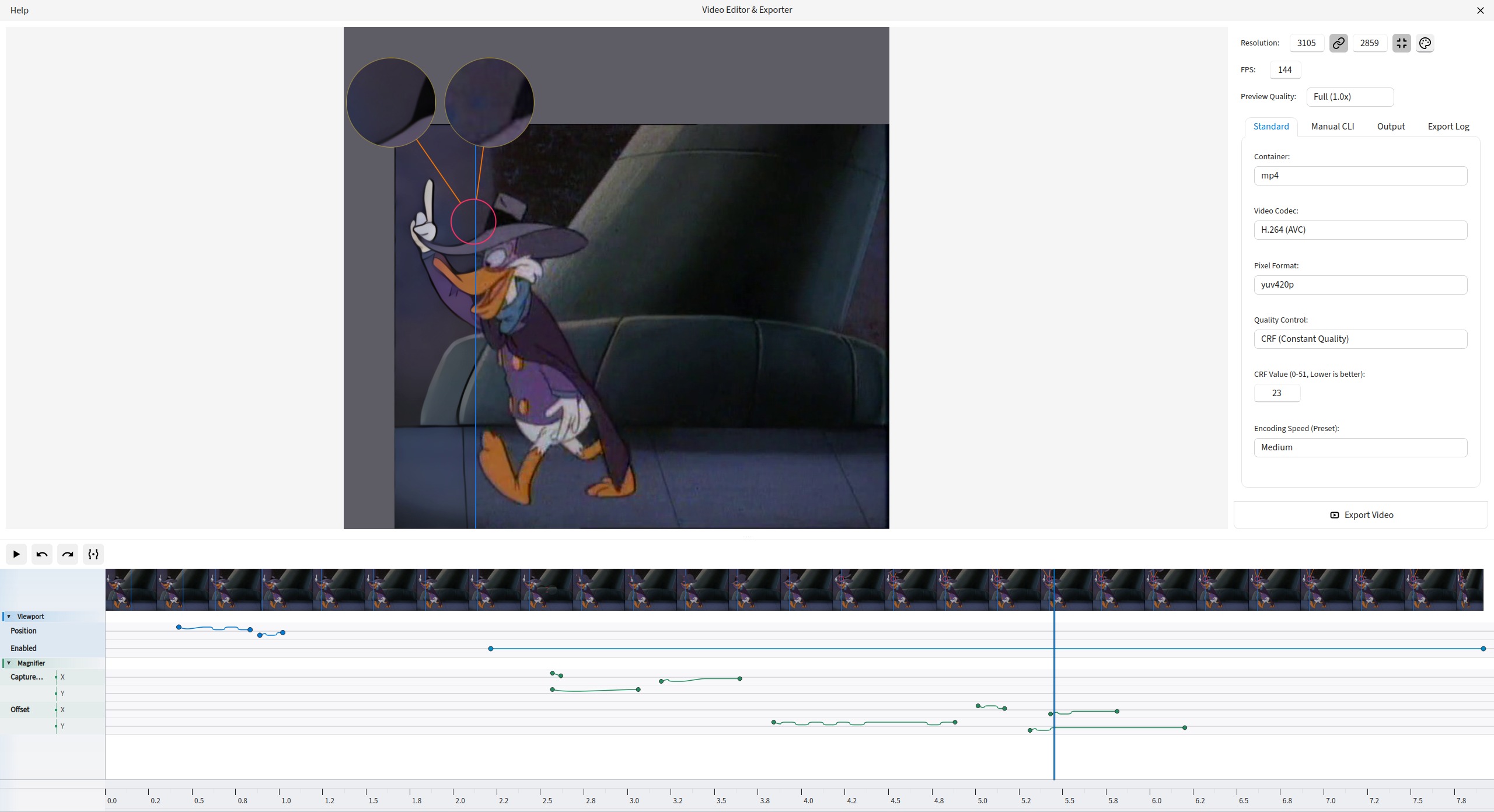
Record a comparison session, open it in the editor, trim or remove ranges on the timeline, animate states with keyframes, and export to MP4, WebM, AVI, GIF, ProRes, AV1, and more.
Export the Result You Built
Save exactly what you assembled on screen — split line, magnifiers, labels, and overlays. Export to PNG, JPEG, WEBP, BMP, TIFF, and JXL.
Files and Projects Without Friction
Load by drag and drop or from the clipboard, manage left and right lists, reorder, swap pairs or whole lists, rate images, and switch with the mouse wheel. Save a project and reopen it later from recent items.
Smooth Even on Large Files
The canvas stays responsive on multi-megapixel images. Magnifier and export always use the original file quality.
UI That Adapts to You
Choose Beginner, Advanced, or Expert mode from the first launch, then adjust light, dark, or auto theme, interface fonts, and saved layout. Search commands from the keyboard when you need a control fast.
Get Started
Windows
Direct download for the latest installer. Simple and straightforward.
Linux (Flatpak)
Universal Linux package via Flathub for easy installation across distros.
flatpak install io.github.Loganavter.Improve-ImgSLI
Arch Linux (AUR)
Community-maintained package for Arch Linux users.
yay -S improve-imgsli
Python (Source)
Run directly from source with our powerful launcher script.
git clone https://github.com/Loganavter/Improve-ImgSLI.git
cd Improve-ImgSLI
./launcher.sh run