Платформа сравнения изображений
Открытый инструмент с рабочими областями для точного сравнения кадров — бок о бок или сеткой, плюс запись и экспорт в одном месте. Для дизайнеров, фотографов, любителей апскейла и исследователей.

What is Improve-ImgSLI?
Детальное сравнение изображений — часто трудоёмкий процесс: открыть редактор, вручную совместить кадры, экспортировать, повторить. Improve-ImgSLI создан, чтобы превратить эту рутину в быструю и понятную задачу. Это программа с открытым исходным кодом для тех, кто ценит точность в деталях: дизайнеров, фотографов, любителей апскейла и исследователей.
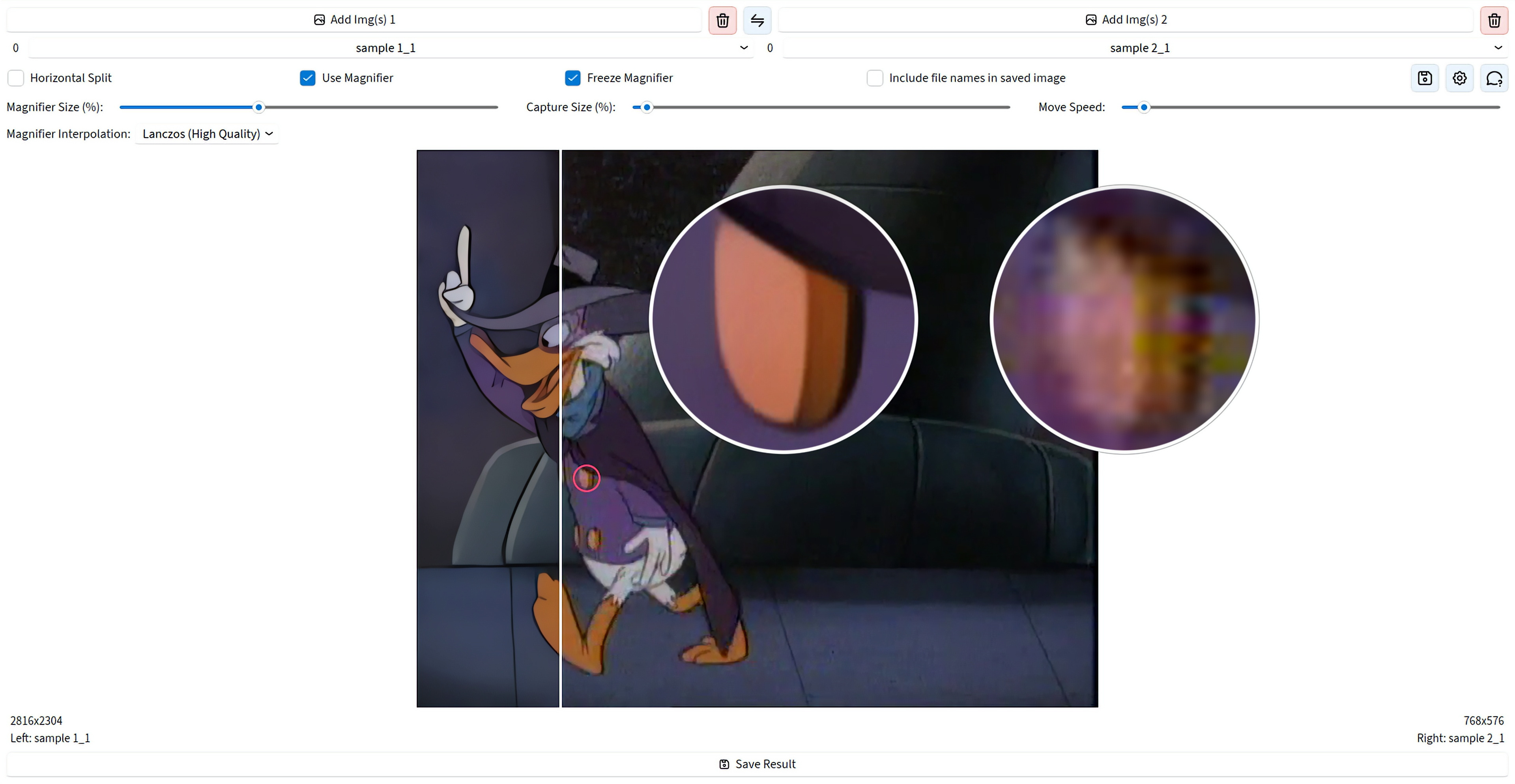
В десятой версии вы выбираете рабочую область и сравниваете два кадра бок о бок или сразу несколько в сетке. Масштабируйте холст, рассматривайте детали через лупы, включайте режимы разницы, сохраняйте готовый кадр или записывайте сессию в видео. Крупные файлы остаются удобными в работе, а проекты можно открыть снова позже — профессиональный результат за несколько кликов, без долгой подготовки.
See It in Action
Powerful Features
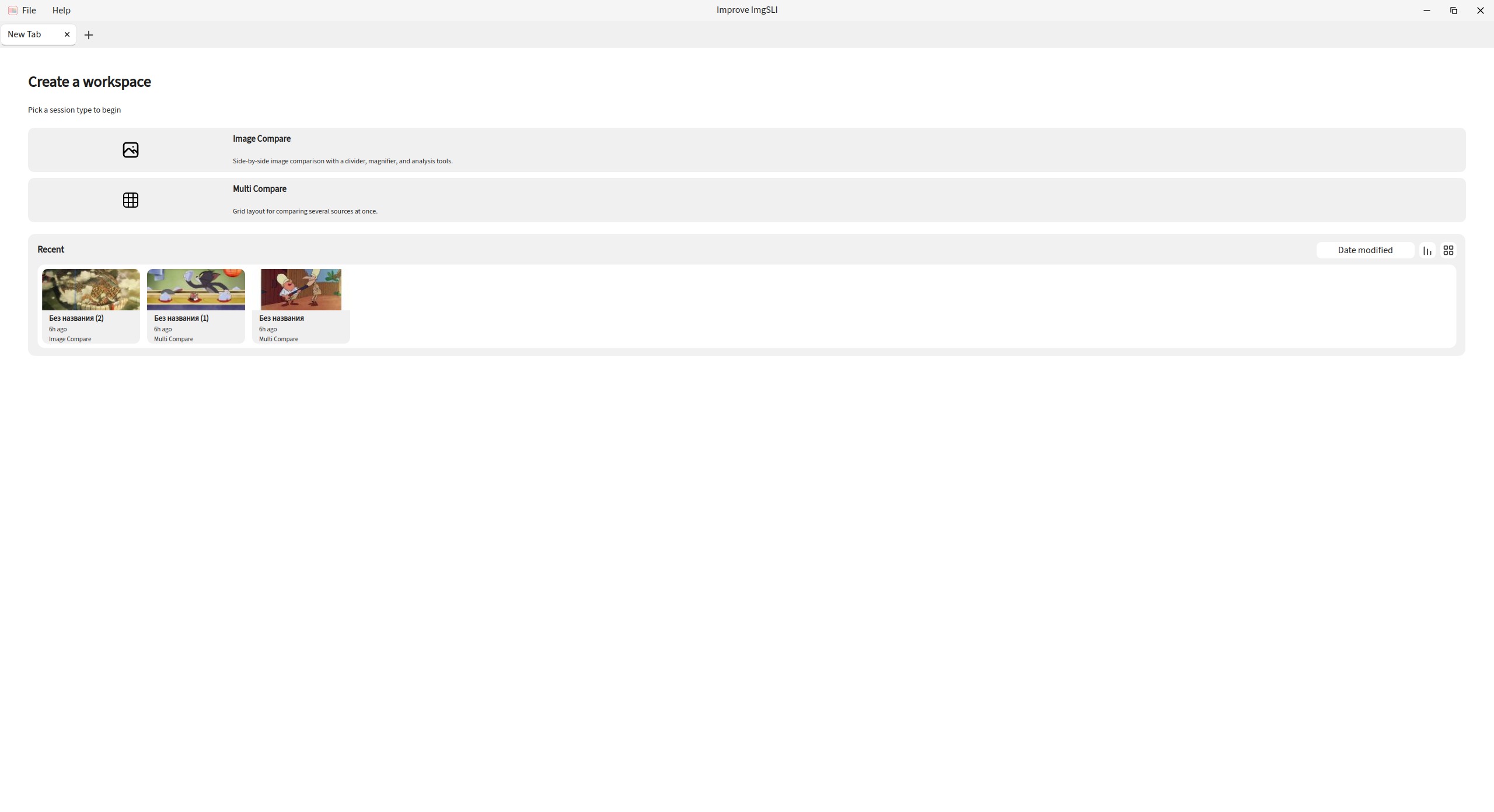
Two Ways to Compare
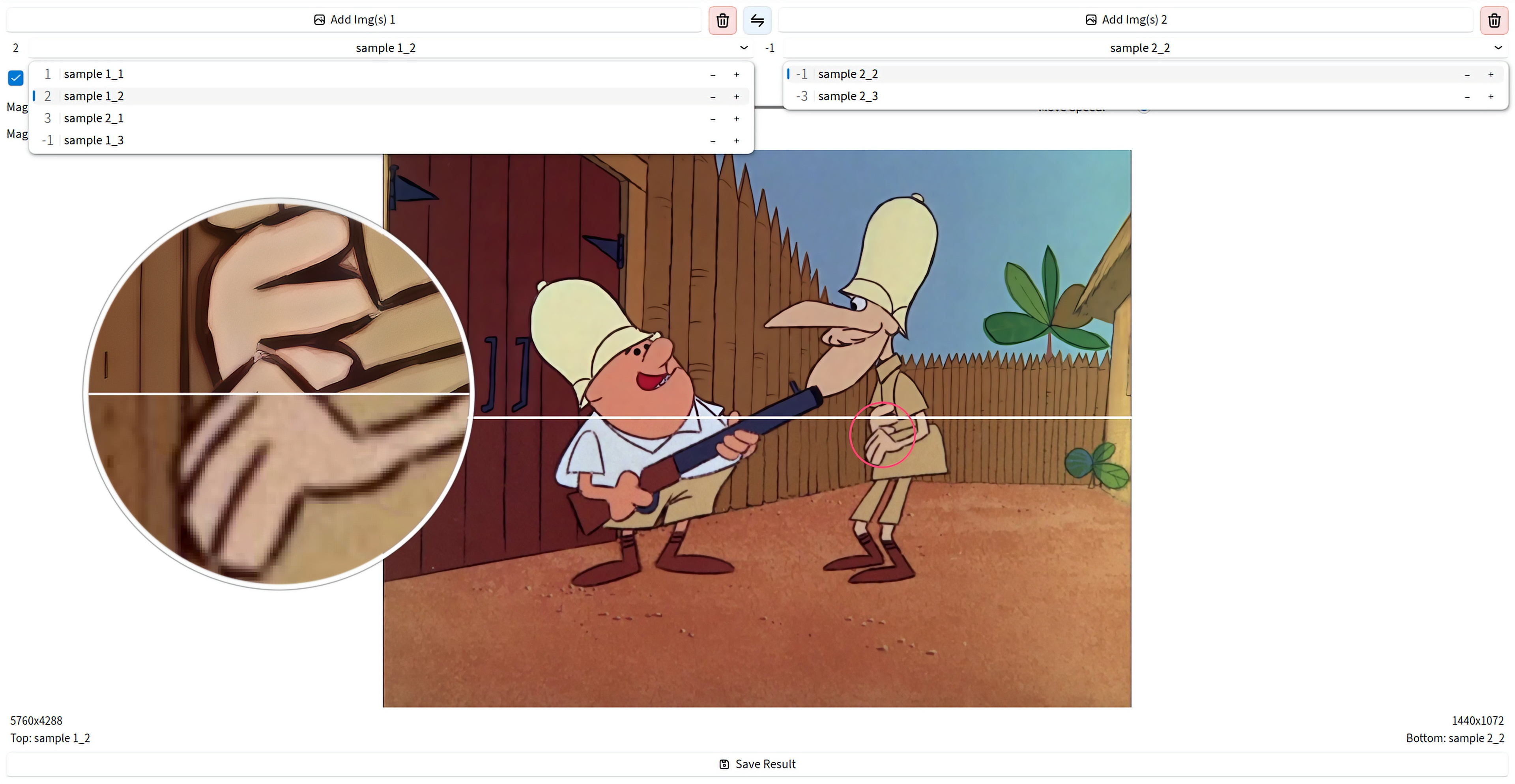
Start with a workspace: compare two images side by side with a split line, or place several sources in a grid. Keep more than one tab open and switch between sessions as you work.
Magnifier for Real Detail Checks
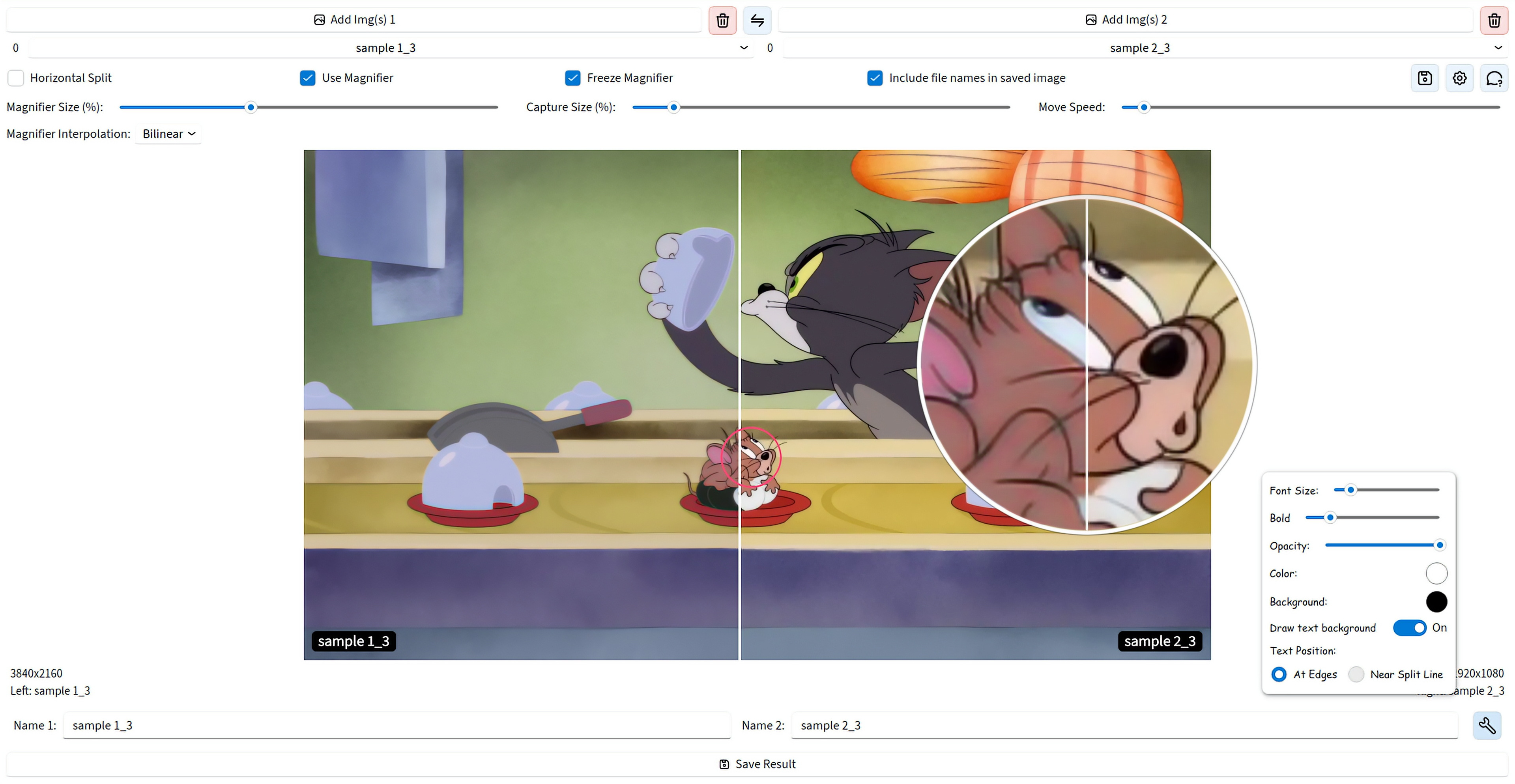
Look at the same spot on both images without jitter, with precise positioning. Add more than one magnifier, use dual or combined view, freeze the capture point, and pick how the zoom is interpolated.
Analysis, Not Just a Slider
The classic split is still here — vertical or horizontal, with synced zoom and pan. On top of that you get difference maps, PSNR and SSIM metrics, edge detection, and channel views for a clearer judgment.
Video From the Comparison Process
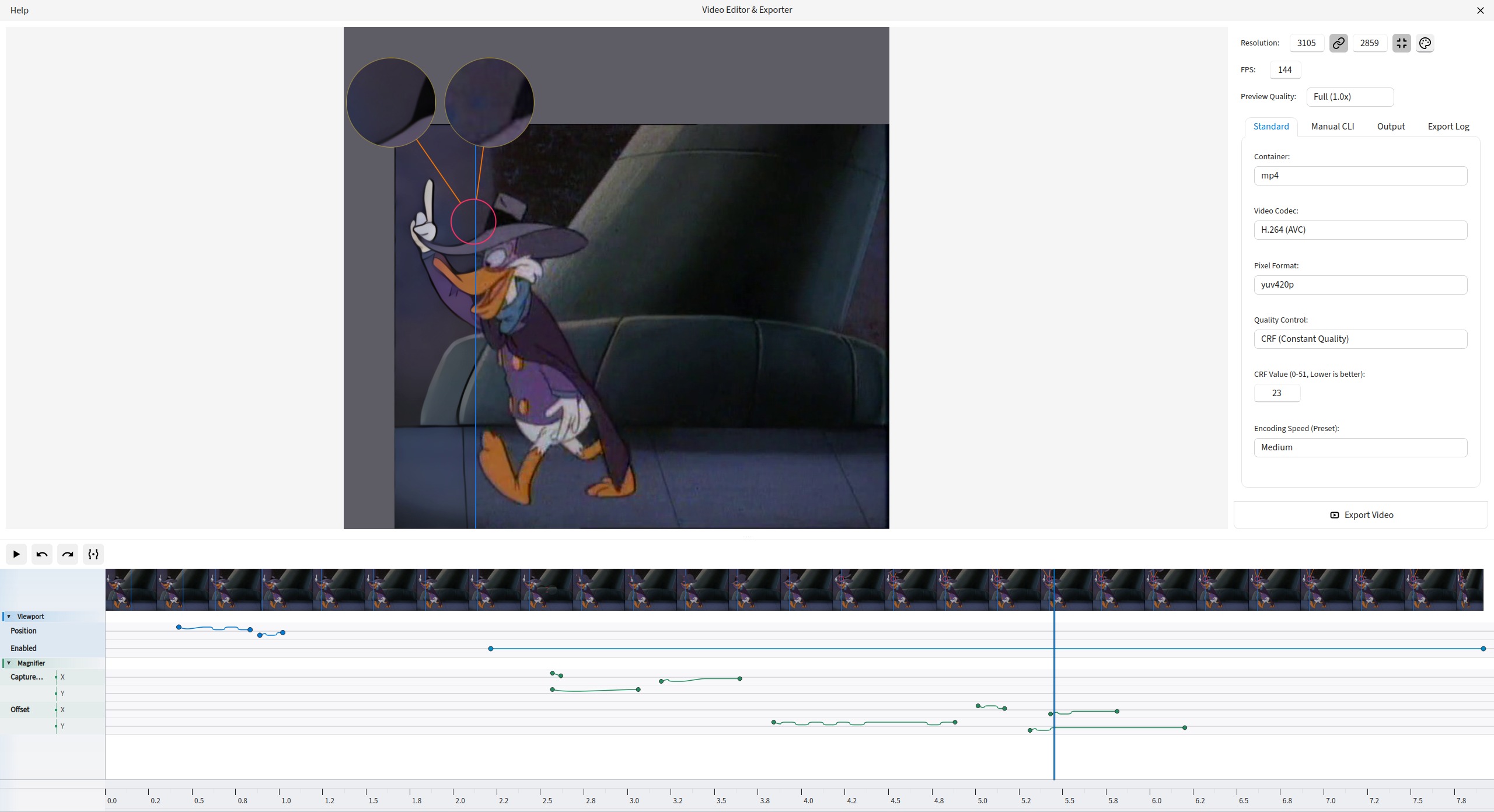
Record a comparison session, open it in the editor, trim or remove ranges on the timeline, animate states with keyframes, and export to MP4, WebM, AVI, GIF, ProRes, AV1, and more.
Export the Result You Built
Save exactly what you assembled on screen — split line, magnifiers, labels, and overlays. Export to PNG, JPEG, WEBP, BMP, TIFF, and JXL.
Files and Projects Without Friction
Load by drag and drop or from the clipboard, manage left and right lists, reorder, swap pairs or whole lists, rate images, and switch with the mouse wheel. Save a project and reopen it later from recent items.
Smooth Even on Large Files
The canvas stays responsive on multi-megapixel images. Magnifier and export always use the original file quality.
UI That Adapts to You
Choose Beginner, Advanced, or Expert mode from the first launch, then adjust light, dark, or auto theme, interface fonts, and saved layout. Search commands from the keyboard when you need a control fast.
Get Started
Windows
Direct download for the latest installer. Simple and straightforward.
Linux (Flatpak)
Universal Linux package via Flathub for easy installation across distros.
flatpak install io.github.Loganavter.Improve-ImgSLI
Arch Linux (AUR)
Community-maintained package for Arch Linux users.
yay -S improve-imgsli
Python (Source)
Run directly from source with our powerful launcher script.
git clone https://github.com/Loganavter/Improve-ImgSLI.git
cd Improve-ImgSLI
./launcher.sh run