
Advanced Image Comparison
An intuitive, open-source tool for detailed visual image comparison — ideal for designers, photographers, upscaling enthusiasts, and researchers.
What is Improve-ImgSLI?
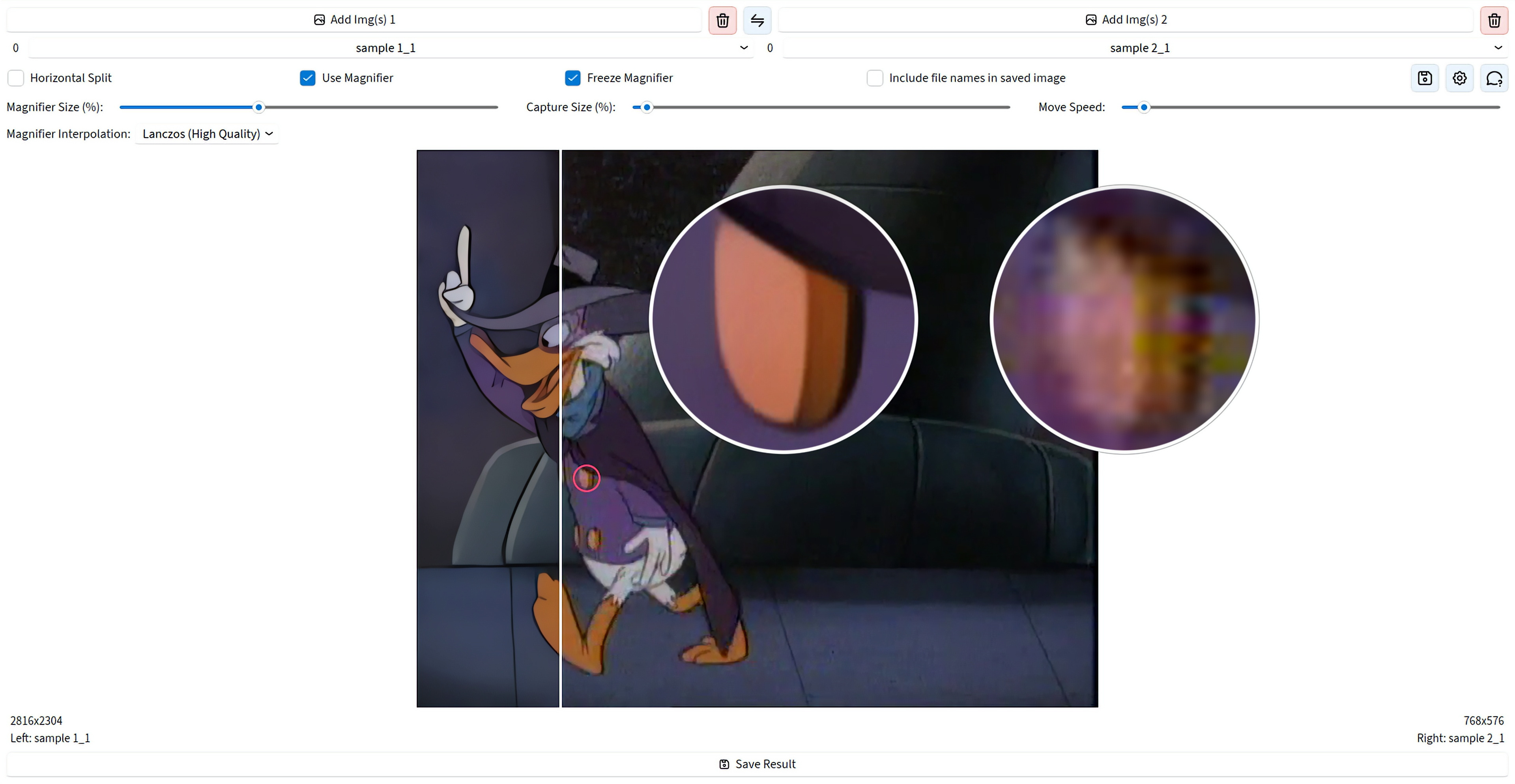
Creating detailed visual comparisons is often a time-consuming process that requires manual frame alignment in a graphics editor. Improve-ImgSLI was created to transform this task from tedious routine into a fast and intuitive process. It's a powerful open-source tool designed for everyone who values precision in details: designers, photographers, upscaling enthusiasts, and researchers.
The key value of the program lies in its efficiency. It allows you not just to see the difference between two images, but to deeply analyze it with synchronized controls, advanced magnifier with various interpolation methods, and flexible comparison modes. Forget about lengthy preparation — with Improve-ImgSLI you get professional and clear results in just a few clicks.
See It in Action
Powerful Features
Analysis, Not Just a Slider
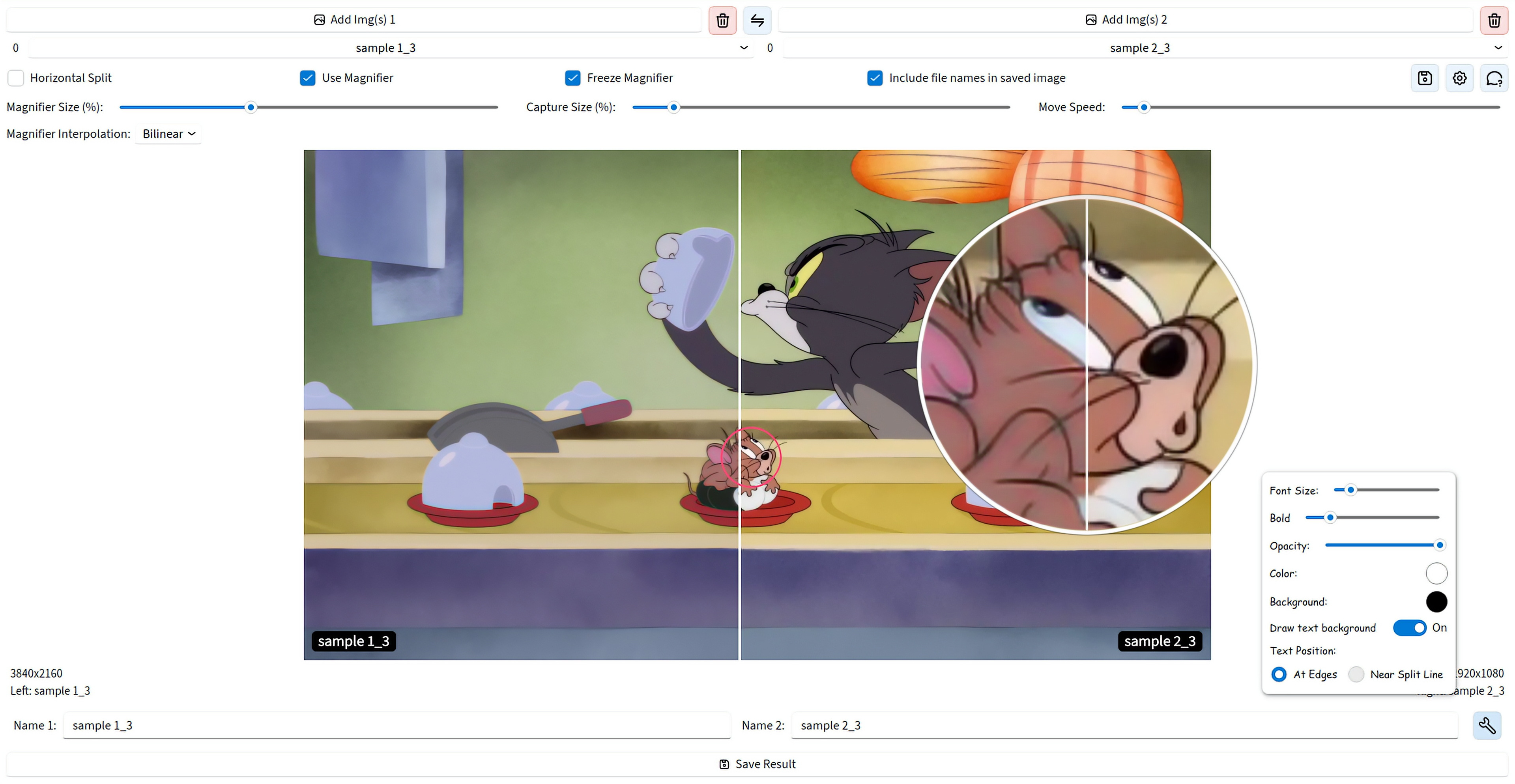
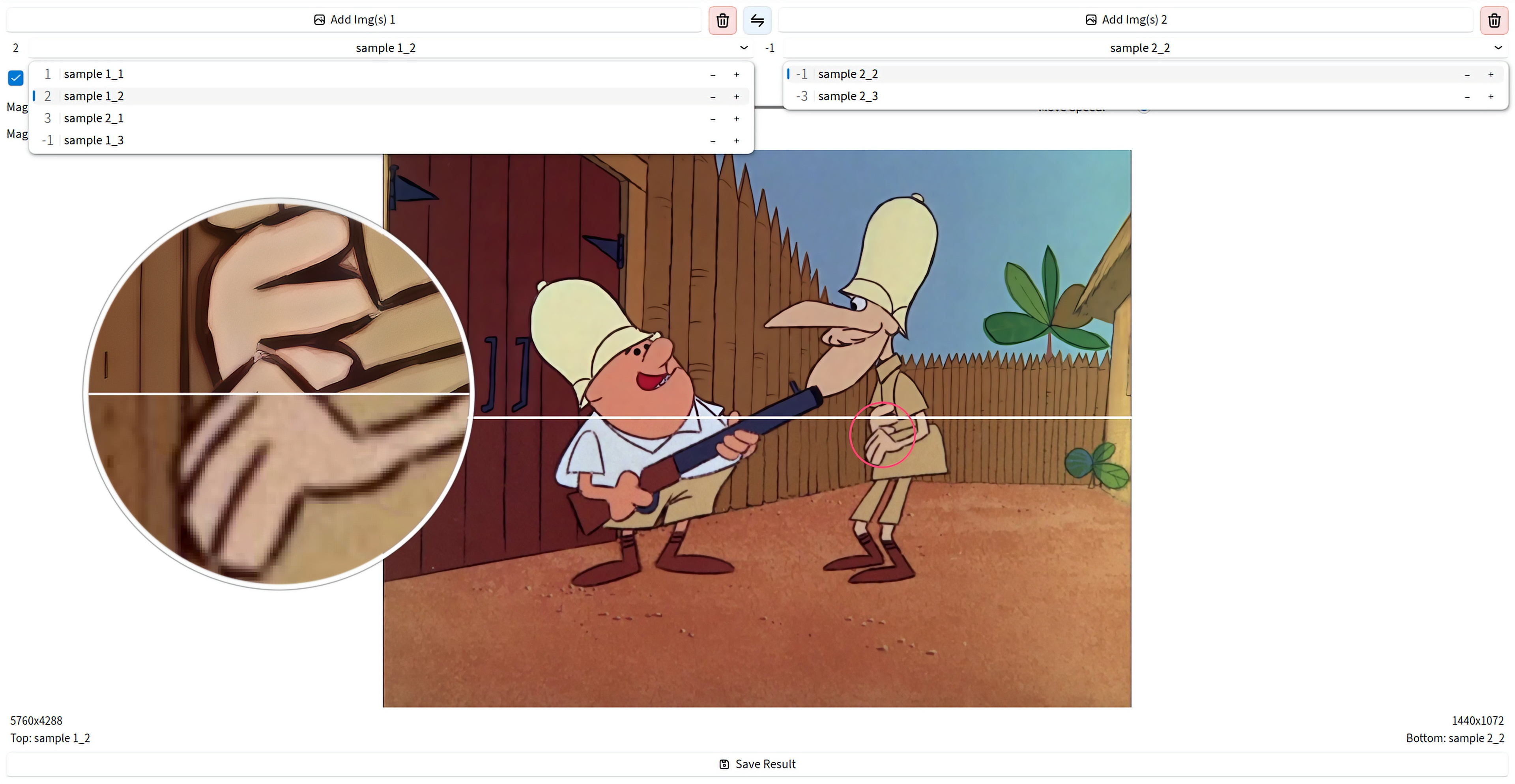
The classic comparison slider is here, with vertical or horizontal split and synced zoom and pan. On top of that, difference maps show where images diverge, while PSNR, SSIM, edge detection, and channel analysis add objective inspection tools.
Magnifier for Real Detail Checks
Inspect the same area on both images with stable subpixel rendering and precise positioning. Use dual or combined view, freeze the capture point, adjust the internal split, and choose interpolation from nearest-neighbor to Lanczos and EWA Lanczos.
Fast Comparison Without Setup
Start with split view, quick full-image preview on Space plus mouse buttons, channel switching, and synchronized navigation. It is built to get you from loaded pair to useful comparison in seconds.
Video From the Comparison Process
Record a comparison session, open it in the editor, trim or delete ranges on the timeline, animate states with keyframes, and export to MP4, WebM, AVI, GIF, ProRes, AV1, and more.
Export the Result You Built
Save the composed comparison exactly as you assembled it, with the splitter, magnifier, labels, and styled overlays intact. Export to PNG, JPEG, WEBP, BMP, TIFF, and JXL.
File Workflow Without Friction
Load by drag and drop or clipboard, work with left and right image lists, reorder items, swap pairs or whole lists, rate images, and switch quickly with the mouse wheel.
Smooth Even on Large Files
GPU acceleration keeps things smooth even with multi-megapixel images. The magnifier and export always use the original file quality.
UI That Adapts to You
Choose Beginner, Advanced, or Expert UI modes from the first launch, then refine the app with light, dark, or auto theme, custom UI fonts, saved layout, tray access, and notifications.
Get Started
Windows
Direct download for the latest installer. Simple and straightforward.
Linux (Flatpak)
Universal Linux package via Flathub for easy installation across distros.
flatpak install io.github.Loganavter.Improve-ImgSLI
Arch Linux (AUR)
Community-maintained package for Arch Linux users.
yay -S improve-imgsli
Python (Source)
Run directly from source with our powerful launcher script.
git clone https://github.com/Loganavter/Improve-ImgSLI.git
cd Improve-ImgSLI
./launcher.sh run